Ready-made boards for every project.
24 templates with lists, cards, checklists and due dates – created with one click, free on every plan.
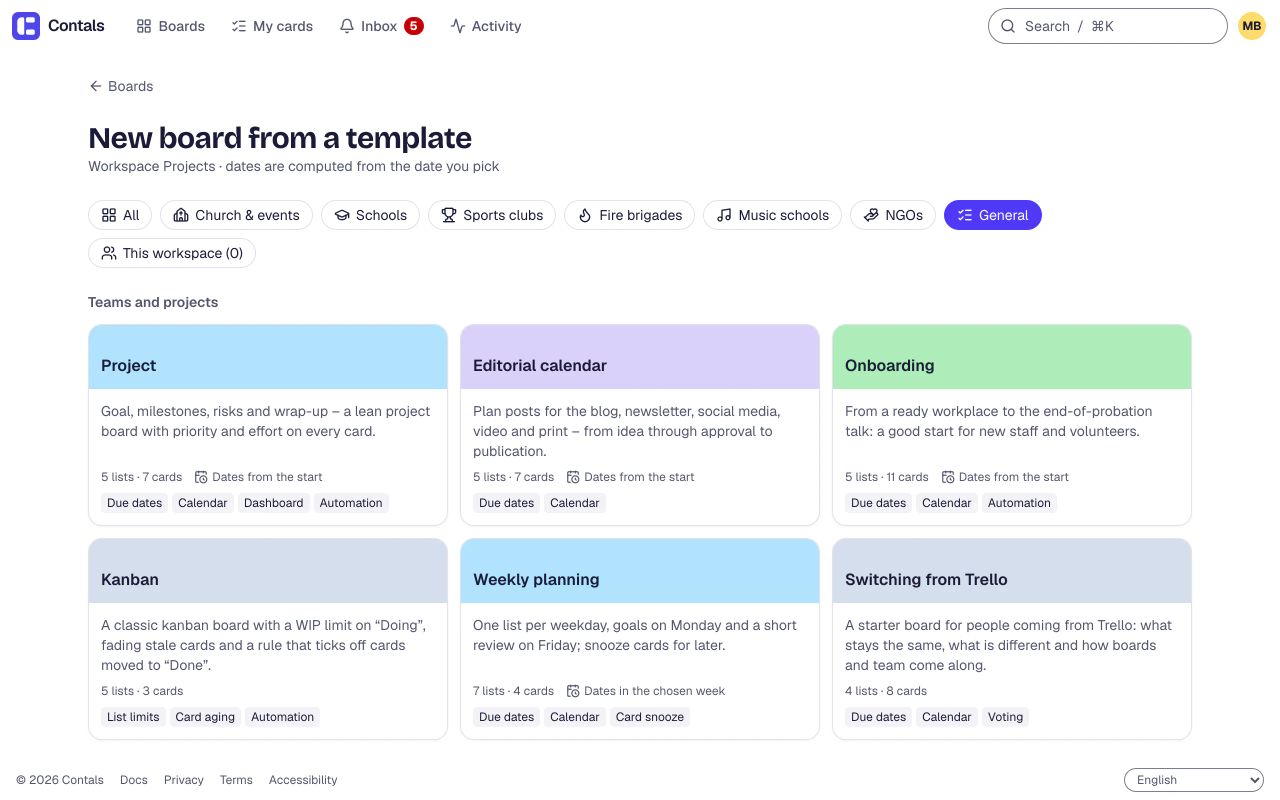
Any team
Project
5 lists · 7 cards
Editorial calendar
5 lists · 7 cards
Onboarding
5 lists · 11 cards
Kanban
5 lists · 3 cards
Weekly planning
7 lists · 4 cards
Switching from Trello
4 lists · 8 cards
NGOs and charities
Write a grant application
5 lists · 11 cards
Project with donor reporting
5 lists · 10 cards
School year (class)
5 lists · 13 cards
Project week
5 lists · 12 cards
Sports clubs
Season planning (club)
5 lists · 14 cards
Run a tournament
5 lists · 15 cards
Music schools
Music school term
5 lists · 13 cards
Plan a concert
5 lists · 14 cards
Fire brigades
Fire brigade training year
5 lists · 13 cards
Fire station open day
5 lists · 12 cards
Churches
Church festival
6 lists · 16 cards
Youth camp / summer camp
6 lists · 19 cards
Service planning
5 lists · 16 cards
Confirmation classes
5 lists · 16 cards
Christmas celebration & nativity play
5 lists · 15 cards
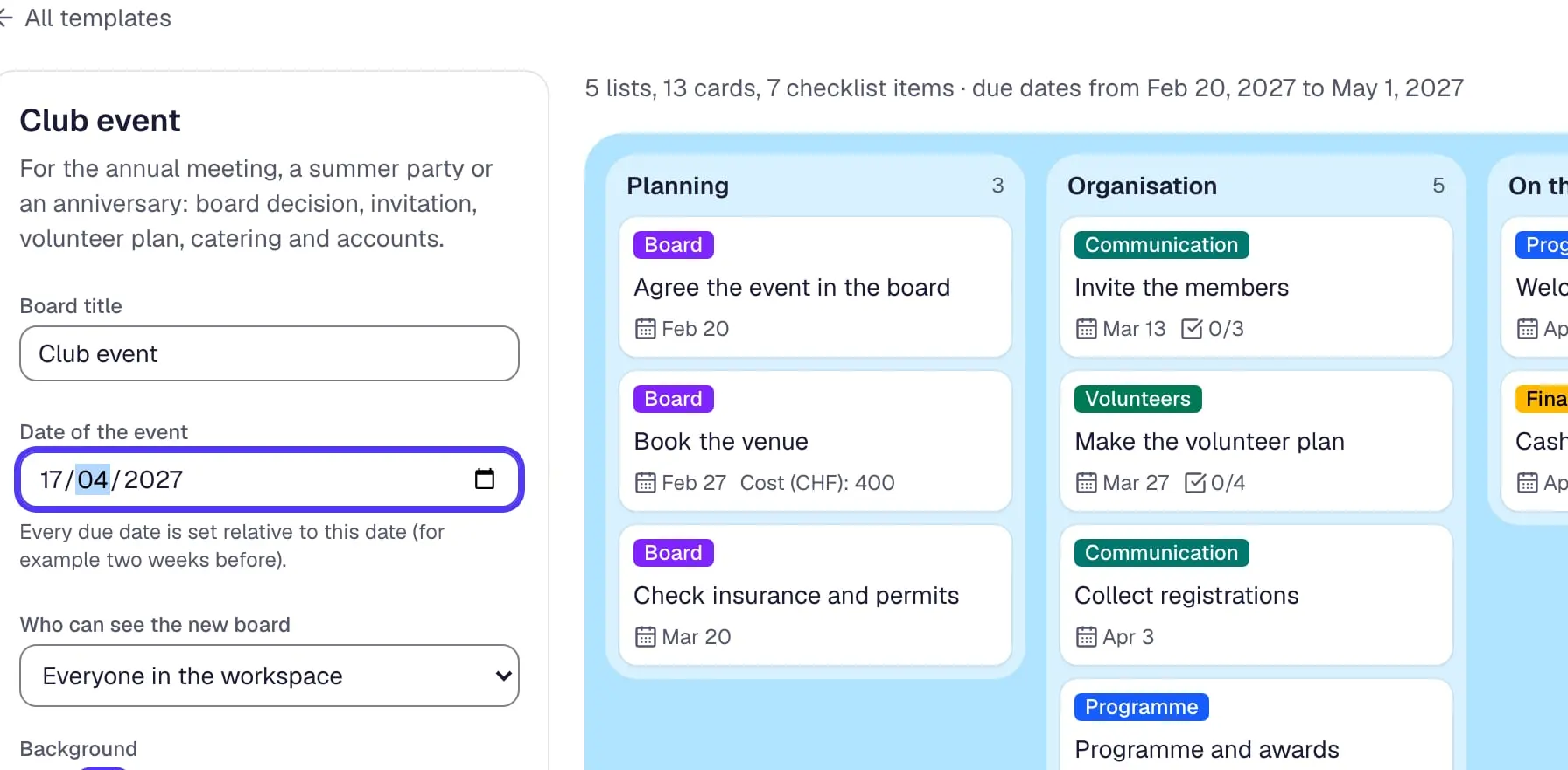
Club event
5 lists · 13 cards
Fundraising campaign
5 lists · 15 cards
Volunteer day
5 lists · 11 cards
Your own way to start
Save a board that worked as a template of your workspace – or describe the project and let AI suggest the lists and cards.
Your own templates
Save any board as a template of your workspace – lists, cards, checklists, labels, fields and dates included.
Board with AI
Describe a project in one sentence and check the suggested lists and cards before the board is created.
Community templates
Other organizations share the structure of their boards – never names, contact details or comments; we review each one before it is published.
Share your board as a template: a board admin who runs the workspace chooses “Share as a community template” in the board’s settings.
Questions
Are the templates free?
Yes. Every template works on every plan, the free plan included. Using a template creates an ordinary board in your workspace; nothing about it is locked.
Can I change a board made from a template?
Yes, completely. The board is yours from the first second: rename lists, delete cards, add your own labels. A later update of the template does not touch boards made from it.
How do due dates in a template work?
Dates count from a day you pick when you create the board – the day of the event, the first day of school or the start of a project. A card that is due “3 weeks before the event” gets its real date then.
Can I share my own board as a template?
Yes. A board admin who runs the workspace can publish a board’s structure to the community gallery. Contals keeps only lists, cards, checklists, labels and fields, leaves out people, comments and descriptions, turns due dates into days before a key date, checks the text for contact data, and reviews it before it goes public under CC0.
Start with a template.
Free for small teams. Volunteers and guests are always free. No credit card.